On this page (10 sections)
- Introduction
- What is a Password Strength Checker?
- Core Features of a Professional Password Checker
- Benefits of Using an Online Password Strength Checker
- Step-by-Step Tutorial: How to Check Password Strength
- Real-Life Scenarios: When Do You Need a Password Checker?
- Pro Tips for Creating Uncrackable Passwords
- Common Mistakes to Avoid
- Frequently Asked Questions (FAQ)
- Conclusion
Introduction
In an era where cyber threats, data breaches, and automated credential-stuffing attacks happen daily, the security of your online accounts depends entirely on the strength of your passwords. Using simple, predictable passwords like "123456," "password," or pet names leaves your sensitive personal and financial data wide open to malicious hackers.
Have you ever wondered how long it would take a modern computer running brute-force algorithms to crack the password you use for your primary email or banking accounts?
Fortunately, utilizing a reliable, browser-based Password Strength Checker analyzes your security hygiene instantly and provides actionable feedback. In this comprehensive guide, we will explore why password complexity matters, how hashing and cracking mechanisms work, and how you can fortify your digital security using the tool on WebToolsHelper Password Strength Checker.
What is a Password Strength Checker?
A Password Strength Checker is a security utility designed to evaluate the entropy, character diversity, length, and predictability of a password string.
Instead of guessing whether a password is secure, an automated strength meter calculates the estimated time required for a hacker to crack the combination using brute-force testing, cross-referencing known breached password databases for vulnerabilities.
Core Features of a Professional Password Checker
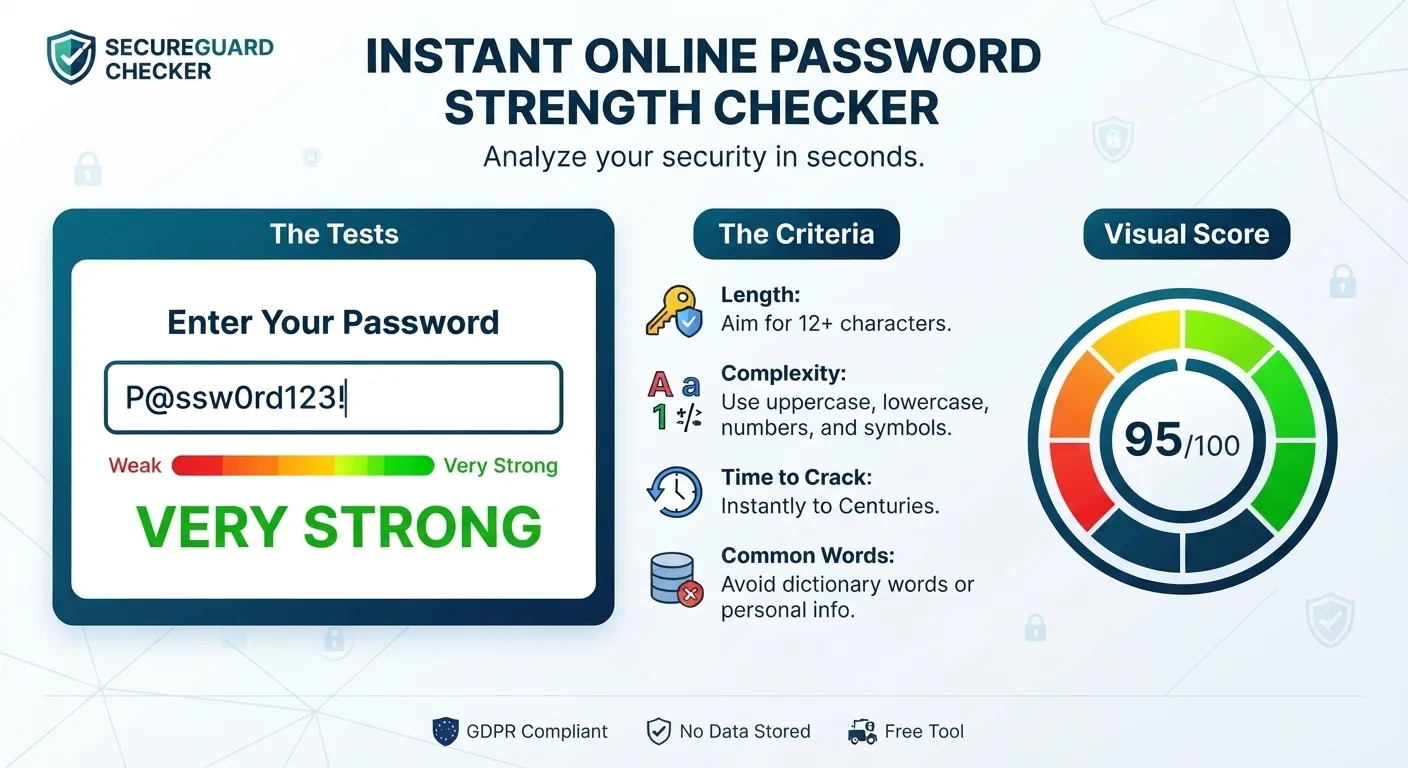
- Entropy and Length Analysis: Evaluates character length combined with uppercase letters, lowercase letters, numbers, and special symbols.
- Time-to-Crack Estimation: Displays realistic estimates of how long it takes computers to break the key via brute-force simulation.
- Breach Database Cross-Checking: Scans against known compromised password lists to ensure your combination hasn't leaked online.
- Client-Side Security: Evaluates passwords securely inside your browser environment without transmitting or storing keys on external servers.
- Zero Installation Required: Accessible instantly via any mobile or desktop web browser.
Benefits of Using an Online Password Strength Checker
Integrating security audits into your account creation routine yields immediate benefits:
- Enhanced Account Protection: Prevent unauthorized access to sensitive emails, financial portals, and corporate networks.
- Educational Awareness: Learn what makes a password truly secure by testing different character combinations in real time.
- Compliance with Security Standards: Meet strict corporate and institutional password policy requirements for digital workflows.
- Peace of Mind: Surf the web knowing your private digital identity is shielded behind robust cryptographic armor.
Step-by-Step Tutorial: How to Check Password Strength
Follow this simple workflow to evaluate your security using the WebToolsHelper platform:
- Step 1: Access the Tool Page — Open your web browser and go directly to the official WebToolsHelper Password Strength Checker.
- Step 2: Enter Your Password — Type or paste your candidate password into the secure input field.
- Step 3: Analyze Security Metrics — Review the strength score, entropy rating, and estimated crack time displayed on screen.
- Step 4: Refine and Strengthen — Add random symbols, increase character length, or swap out predictable words until your password achieves maximum security ratings.
Real-Life Scenarios: When Do You Need a Password Checker?
1. Setting Up New Corporate Accounts
IT administrators and employees configuring new credentials for enterprise software use strength checkers to ensure compliance with company cybersecurity guidelines.
2. Auditing Personal Account Security
Internet users reviewing their digital footprint can test old or reused passwords to see how vulnerable they are to automated cracking scripts.
Pro Tips for Creating Uncrackable Passwords
- Prioritize Length Over Complexity: A 16-character passphrase composed of random words is exponentially harder to crack than a short 8-character string filled with complex symbols.
- Avoid Personal Information: Never include birthdays, pet names, anniversaries, or home towns that attackers can easily guess via social engineering.
- Use a Password Manager: Generate and store unique, complex passwords for every single online service using a trusted password manager.
Common Mistakes to Avoid
- Reusing Passwords Across Multiple Sites: Using the same login credentials across different platforms, meaning a single breach compromises all your accounts.
- Substitutions That Are Easily Guessed: Relying on predictable substitutions like replacing 'E' with '3' or 'A' with '@', which automated cracker tools bypass instantly.
- Writing Passwords Down: Storing physical sticky notes with master login credentials near your computer monitor.
"A strong password is your first and most vital line of defense against online identity theft and cyber intrusions."
Frequently Asked Questions (FAQ)
1. Is it safe to type my real password into an online checker?
Reputable web tools evaluate password complexity client-side inside your browser, meaning your text is never transmitted or saved on external servers.
2. What makes a password secure?
A secure password features substantial length (at least 12–16 characters) and a diverse mixture of uppercase letters, lowercase letters, numbers, and special symbols.
3. How do hackers crack passwords?
Hackers use automated software programs to execute brute-force attacks, testing billions of combinations per second, or use dictionary lists of common words.
4. Do I need to install software to check password strength?
No software installation is required. The security assessment runs entirely online through your standard web browser.
5. Why is password length more important than complexity?
Longer passwords exponentially increase the possible combinations a computer must test, making brute-force cracking computationally unfeasible.
6. Should I change my passwords regularly?
Security experts now recommend changing passwords only if there is evidence of a breach or compromise, provided your current passwords are long and unique.
7. Can this tool generate a password for me?
While strength checkers evaluate inputs, many security suites also offer companion random password generation features.
8. Is the Password Strength Checker completely free?
Yes, web utilities available on platforms like WebToolsHelper provide free, unlimited security evaluations for all users.
Conclusion
Protecting your online identity starts with bulletproof credentials. By leveraging a high-performance Password Strength Checker, you can test your security posture and eliminate vulnerabilities instantly. Head over to the WebToolsHelper Password Strength Checker today and secure your accounts!


